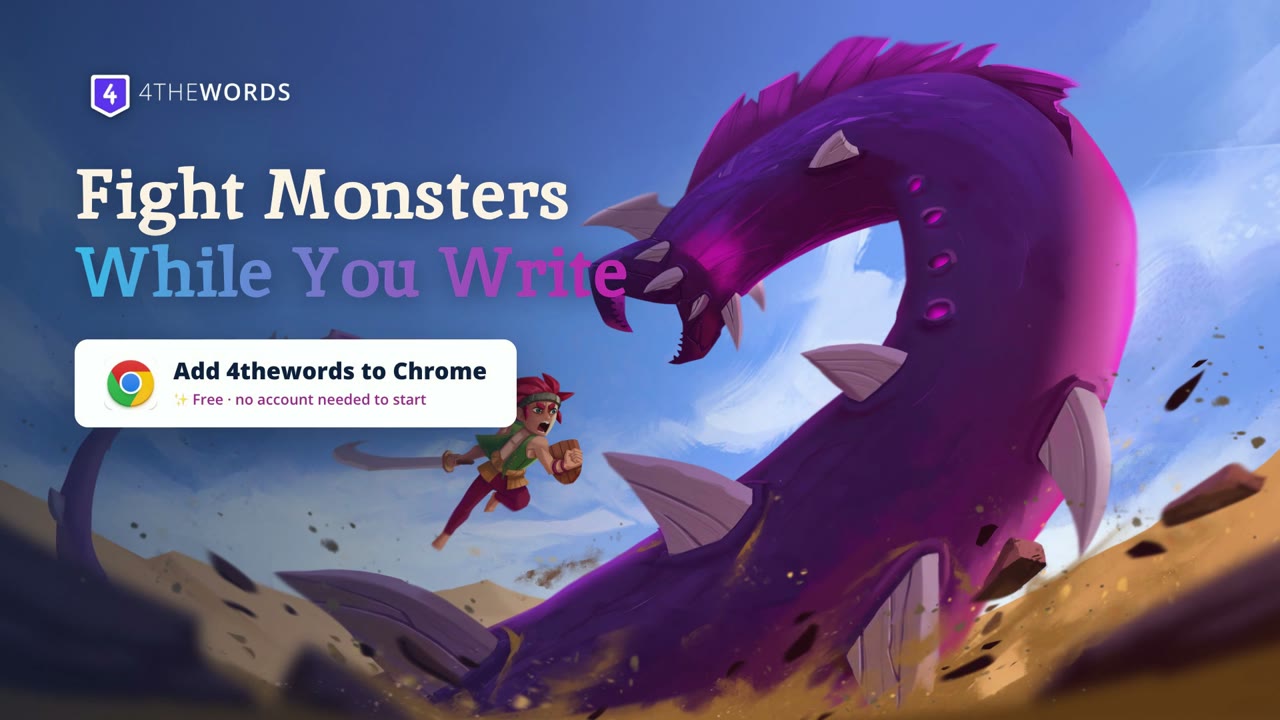
Fight monsters while you write.

The free Chrome extension brings 4thewords monsters to the places you already write. Every word you type in Google Docs, Notion, or anywhere else deals damage, earns loot, and keeps your streak.

Install Free · Chrome Web Store No account needed. Your first monster falls in under two minutes.Not on Chrome right now? Start at 4thewords.com
Start freeThe extension installs on desktop Chrome. Make your account now and add it there.
Works ondocs.google.comnotion.sosubstack.com+ any site you choose
docs.google.com/document/my-novel-draft
A leafy forest monster peeking at your draft
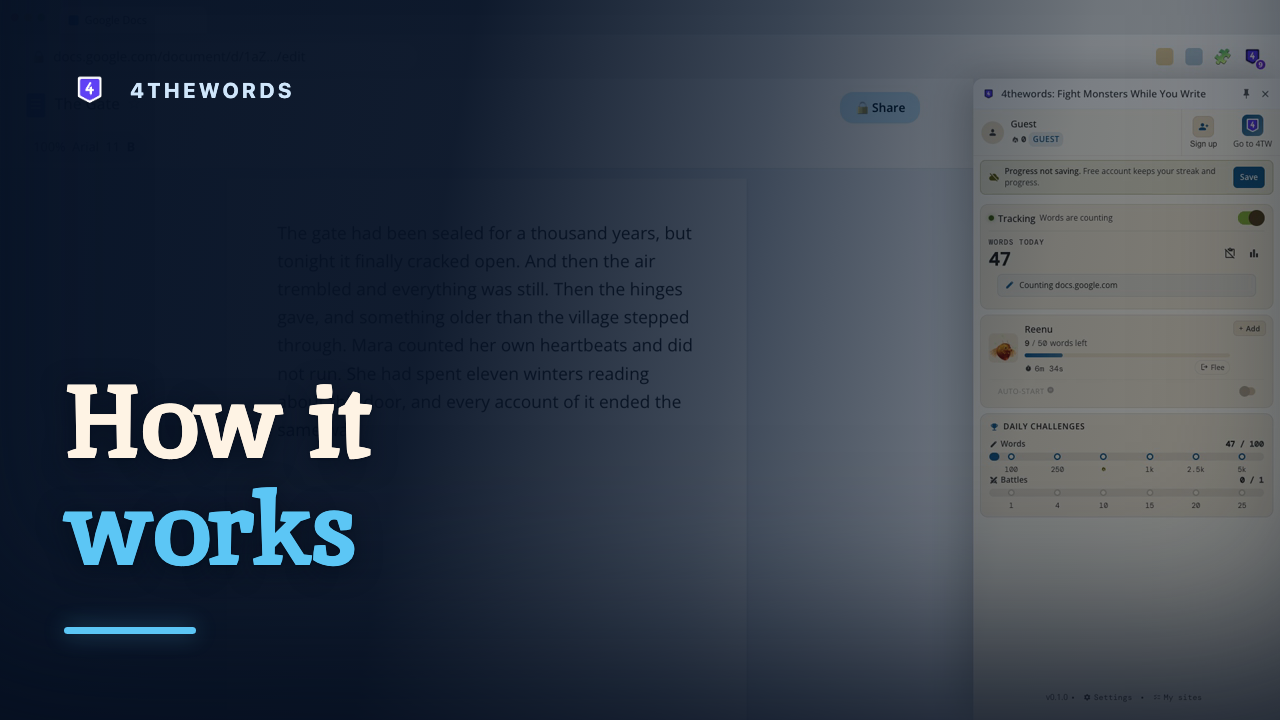
How it works

Three steps. Zero excuses.

1

Install the extension

One click from the Chrome Web Store. No account needed to start.

2

Open a site where you write

Google Docs, Substack, WordPress, Notion, AO3. Writing sites are on from the start, and adding anywhere else (even your email) takes one click. You choose where it counts.

3

Fight monsters with your words

Every word deals damage. Beat the word count before the timer runs out, or the monster wins this round.

Works everywhere

Write anywhere. Fight everywhere.

These are on from day one. Anywhere else, even your email, is one click away.

Google Docs
Notion
Substack
WordPress
Medium
AO3Archive of Our Own
Overleaf
Word on the web
World Anvil
EEvernote
CCoda
750750words
Ellipsus
RReedsy
NNovlr
NPNovelPad
Campfire Writing
+Any site you choose
Real screenshots

This is what it looks like.

Real screenshots, exactly as the extension looks after install.
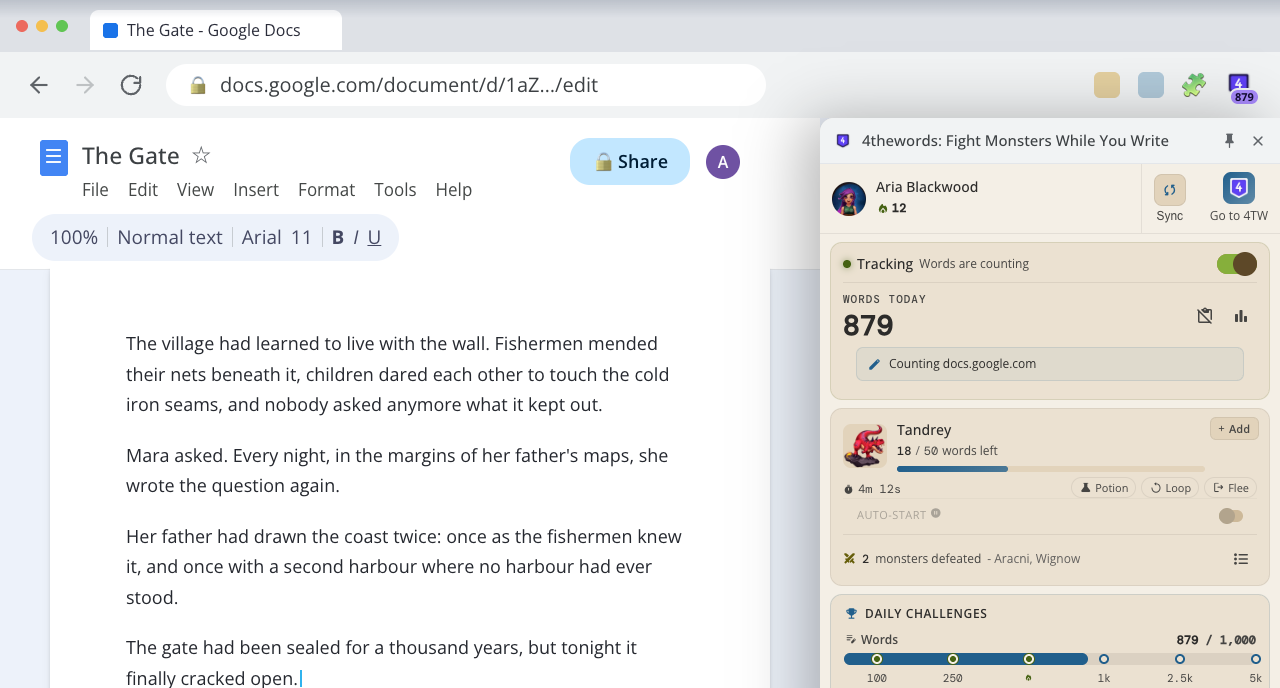
Google Docs in Chrome with the 4thewords side panel docked on the right, mid-battleThe side panel, docked beside your draft in Google Docs. Nothing about your setup changes.
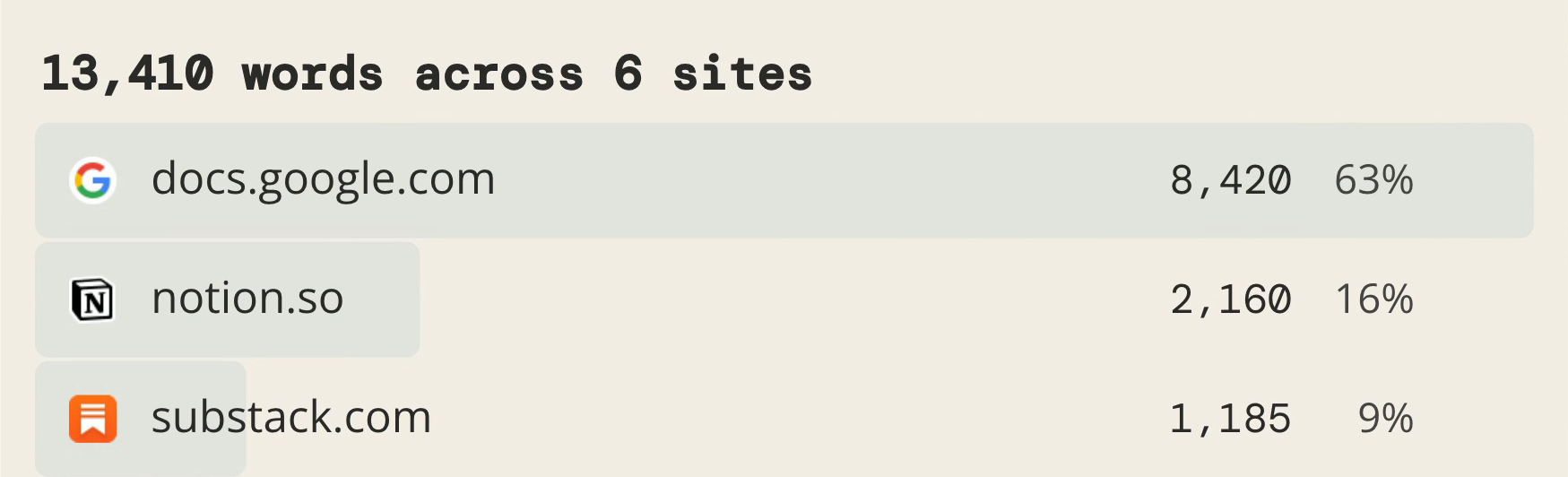
The 4thewords stats page showing 13,410 words written across six sites, headed by docs.google.com at 8,420, notion.so at 2,160, and substack.com at 1,185, each labeled with its site's iconEvery site you write on, tallied in one place.
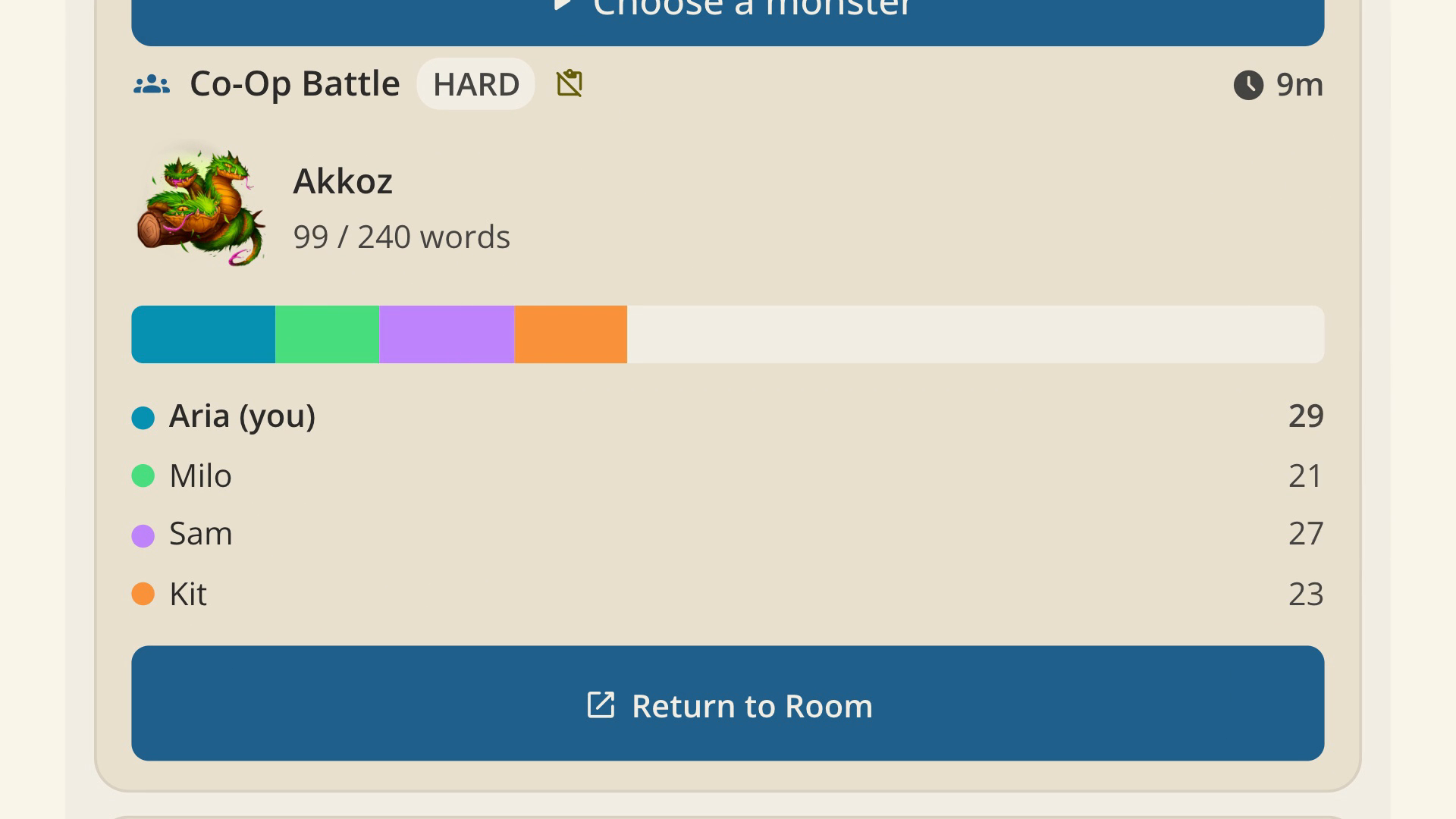
A co-op battle against Akkoz with four players — Aria, Milo, Sam, and Kit — each contributing words to the same fightTeam up. Co-op battles split the same word count across everyone in the room.

This is how it works.

How the 4thewords extension works

Every part of the extension, section by section.

What you get

Defeat monsters. Earn loot. Finish your book.

Reenu the forest monster
Reenu  ·  50 words
31 words dealt5:12 left

Fight monsters while you write

Pick a monster, keep typing your draft, and watch its health drop. Beat the word count before time runs out or it wins the round. From 50-word quick fights to 5,000-word bosses.

Battle side panel with a monster
Side panel battle

The battle lives beside your draft

Your writing setup stays exactly the same. The battle sits in a side panel right next to your document, or a popup if you prefer it out of sight. No new editor to learn, no tab to keep switching to.

Loot keyItem drop+120 XP+45 Coins🔥 Day 12 streak

Stop pasting words into 4thewords

Writing somewhere else and pasting it in for credit? Never again. The extension counts as you type and turns your words into loot, XP, Coins, and quest progress automatically. And 444 words a day keeps your streak alive, wherever you wrote them.

Starter monsterStarter monsterStarter monsterStarter monster

Start free. No account. No card. Ever.

Install and fight four starter monsters immediately, no signup. A free account unlocks the full world: 900+ hand-painted monsters, quests, co-op battles, and your streak synced everywhere.

Privacy

Your words stay yours.

Counting works on word boundaries, not content. The extension never reads, stores, or transmits the text you write.

  • Passwords, one-time codes, and card numbers are excluded at four independent layers.
  • Zero analytics libraries, no ads, no trackers.
  • Fonts ship inside the extension, so the side panel opens with no third-party requests at all.
  • Site names stay on your device unless you switch on per-site stats yourself.
  • We never train AI on your words. Our monsters are painted by humans.
What you write
What we count897words. The text itself never leaves your device.
PasswordsOne-time codesCard numbers

Writers are already fighting.

100,000+writers
10 billion+words written
80+countries
2015writing ever since
9.5/10when we asked a group of writers how likely they were to recommend it to another writer
"Not having to copy things in and out of 4thewords for credit made it so much smoother and made me so much more productive in an effective way."Lady Grayish
"I've been struggling to edit a big project after giving birth … and this really helped me get my speed back up with it. I love it."KFEmpyrean
"This extension makes me so happy. I love being able to battle monsters while writing on my favorite word processing website. I love that the extension tracks only word count and doesn't retain what I'm writing."LadyRowyn
"I love that this extension gives every website the fun of 4TW gamified writing in a convenient To Go package!"Muppetfrak
"Reminds me that words matter even if they don't get collected in my official 'writing' spaces."annyshay
"It's a great extension that's easy to install and works great for counting words while working off the 4TW site."Linaewen

And this is what it feels like.

Fight monsters while you write: the 4thewords extension in 30 seconds

30 seconds. That's also about how long your first monster will last.

Questions? Answers.

Is it free?
Yes. Install and fight with no account and no card, ever. A free 4thewords account adds full access for 7 days, then you keep a free plan forever, or upgrade.
Do I need an account?
No. Anonymous mode gives you four starter monsters, full word counting, and a local streak. An account is only needed to save progress to the full game and sync across devices.
Which sites does it count on?
You choose. Writing-first sites are on by default: Google Docs, Notion, Substack, Medium, WordPress, AO3, Overleaf, Word on the web, and friends. Adding any other site takes one click. Everywhere else, it counts nothing.
Does it read what I write?
No. We count words, not content. We never read your text, and we never train AI on it. Your writing is yours, always. Privacy policy
What browsers does it support?
Google Chrome on a computer. Other browsers are on our list, but we only promise what we have tested.
What if I write in Scrivener, Word, or Google Docs?
Great, keep using them. The extension counts your words in Google Docs and Word on the web today. For desktop tools like Scrivener and desktop Word, a 4thewords desktop app is on the way later this year. The game will come with you there too.
I already use 4thewords.com. Why the extension?
Because the writing you do outside 4thewords finally counts. Your novel in Docs, your blog in WordPress, your journal in Notion: all of it feeds your battles, quests, and streak.
Is this just procrastination dressed up as productivity?
The opposite. The game only moves when you write toward your goal, 444 words a day. The fun is what gets you to do the real work.
I'm not a gamer.
You don't have to be. If you can type, you can play. The game is just a reason to show up.

Every word is a weapon. Start swinging.

Start freeThe extension installs on desktop Chrome. Make your account now and add it there.